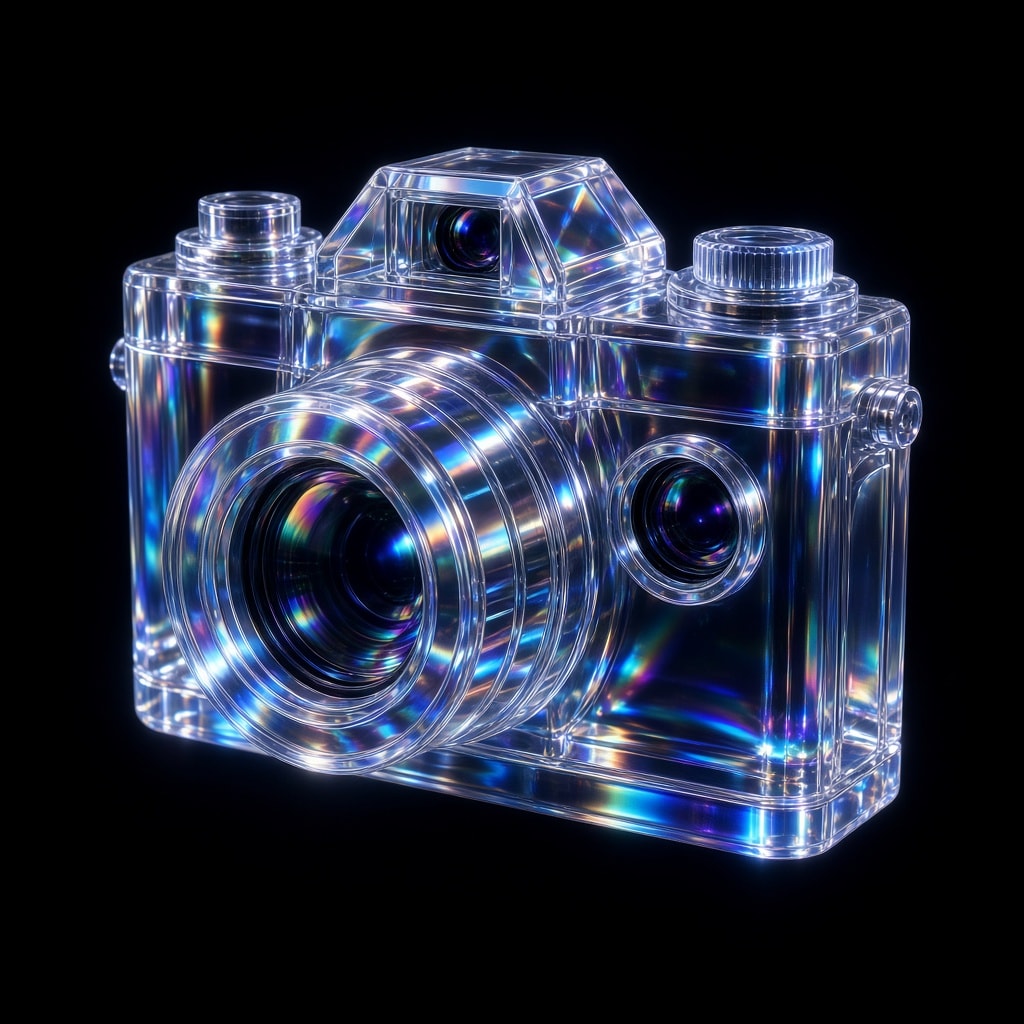
An image-to-image retexture prompt: attach any image (an object, product, figurine or building) and a JSON style block rebuilds its surfaces as transparent, iridescent glass while keeping the original composition. The JSON pins a photoreal 3D-render look, polished refractive surfaces, studio HDRI light from the top left with blue, green and purple accents, dispersion and bloom, a black vignetted background and chromatic aberration. Edit the JSON values to try other materials.
Retexture the image attached based on the JSON aesthetic below

{
  "style": "photorealistic 3D render",
  "material": "glass with transparent and iridescent effects",
  "surface_texture": "smooth, polished with subtle reflections and refractive effects",
  "lighting": {
    "type": "studio HDRI",
    "intensity": "high",
    "direction": "angled top-left key light and ambient fill",
    "accent_colors": ["blue", "green", "purple"],
    "reflections": true,
    "refractions": true,
    "dispersion_effects": true,
    "bloom": true
  },
  "color_scheme": {
    "primary": "transparent with iridescent blue, green, and purple hues",
    "secondary": "crystal-clear with subtle chromatic shifts",
    "highlights": "soft, glowing accents reflecting rainbow-like effects",
    "rim_light": "soft reflective light around edges"
  },
  "background": {
    "color": "black",
    "vignette": true,
    "texture": "none"
  },
  "post_processing": {
    "chromatic_aberration": true,
    "glow": true,
    "high_contrast": true,
    "sharp_details": true
  }
}A two-step workflow for slick exploded-view product animations. Step 1 makes an epic minimalist poster of a fictional matte-white walkman-style cassette player with a soft neon glow on a dark background; Step 2 uses that image as the reference for a sequential layer animation where each part of the product snaps together in exploded view while the camera crash-zooms to every new piece, ending on the fully assembled product. Swap in your own product name and design to reuse it.
Step 1 — Image (Nano Banana 2.1): generate the product poster

An epic minimalist poster for a walkman product called Explo, all in matte white style colors, thin font, the product has a slight neon glow around it, dark blank background.

Step 2 — Video (Gemini Omni 1.2 Flash): use the Step 1 image as the reference

Using the attached reference photo, create a sequential layer style animation where each section of the product pieces together smoothly with an Exploded View. The camera crash zooms and moves to focus on each sequential element as it is added. The final shot reveals the full product.

