This prompt guides you to create a highly realistic 3D render of a bald eagle's head and upper neck using specific composition, lighting, and style instructions. The focus is on achieving maximum texture realism with precise lighting effects, ensuring an anatomically accurate, majestic portrayal.
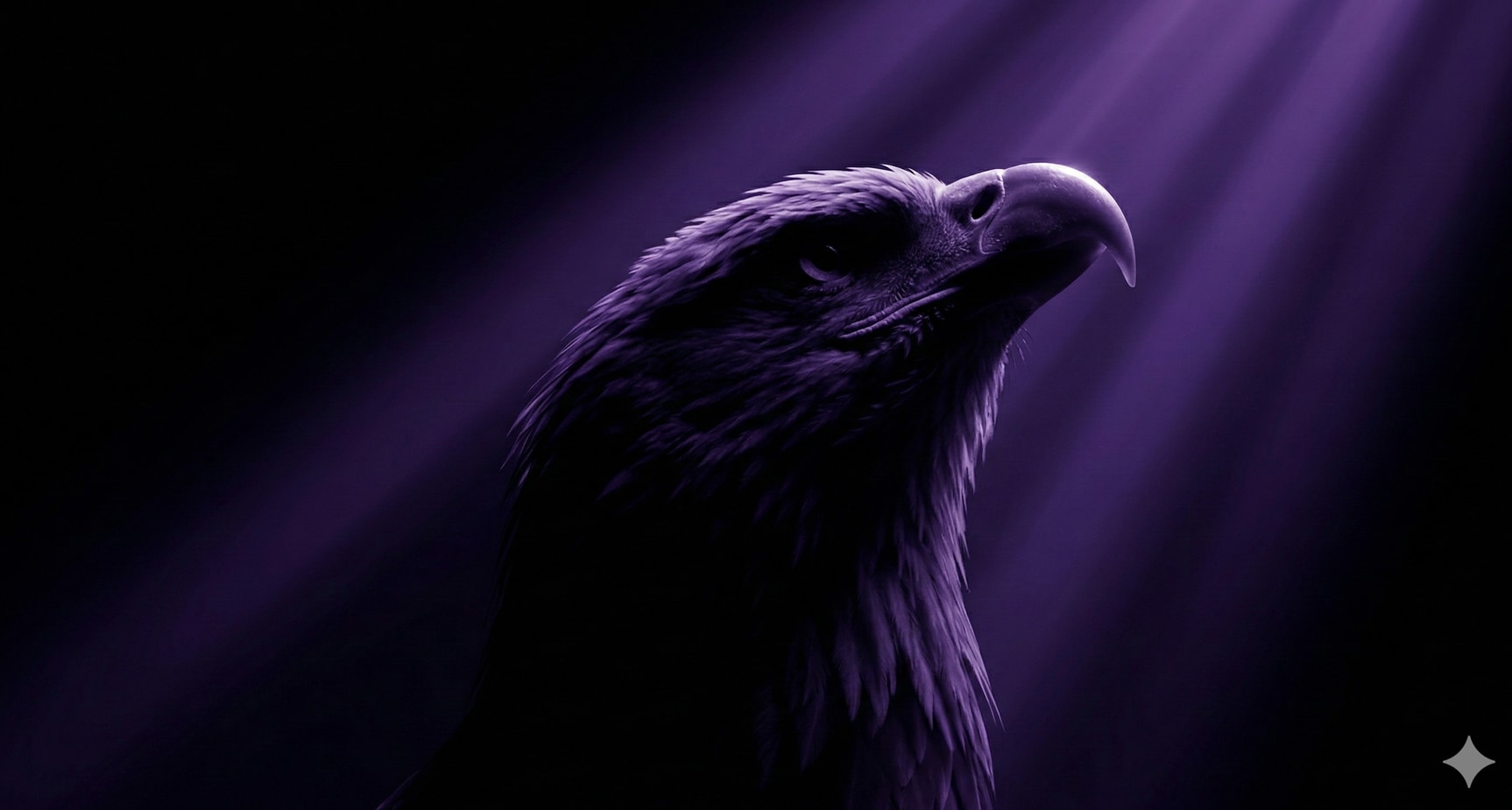
1{2 "subject": {3 "description": "The head and upper neck of a bald eagle, looking upwards towards a light source.",4 "count": 1,5 "orientation": "profile, facing left, tilted steeply upward",6 "pose_or_state": "static, neck extended and head looking up",7 "expression": "majestic, neutral"8 },9 "scale_and_proportion": {10 "subject_to_frame_ratio": "subject occupies approximately 40% of the frame, positioned in the center-right",11 "proportions": "anatomically accurate eagle head",12 "negative_space": "extensive negative space on the left and bottom of the frame"13 },14 "composition": {15 "shot_type": "close-up",16 "camera_angle": "low angle, looking up at the subject",17 "framing": "subject positioned in the right half of the frame",18 "symmetry": "highly asymmetrical",19 "background": "pitch black with prominent diagonal volumetric light rays",20 "depth_of_field": "deep, light rays and illuminated subject features are in sharp focus"21 },22 "temporal_context": {23 "era": "contemporary digital art",24 "modern_elements": false,25 "retro_stylization": false,26 "trend_influence": false27 },28 "style": {29 "visual_type": "3D render",30 "realism_level": "maximum texture realism",31 "art_style": "none",32 "stylization": false,33 "interpretation": "literal reproduction only"34 },35 "lighting": {36 "setup_type": "volumetric / rim lighting",37 "light_direction": "top right, casting rays downwards toward the bottom left",38 "light_quality": "hard volumetric beams (god rays)",39 "contrast": "extremely high, chiaroscuro effect",40 "shadow_behavior": "deep, absolute black shadows obscuring the lower half of the subject",41 "color_temperature": "very cool, monochromatic deep violet/purple",42 "lighting_variation": "none"43 },44 "materials": {45 "primary_materials": [46 "feathers",47 "keratin (beak)"48 ],49 "surface_finish": "matte feathers, semi-gloss beak",50 "light_reflection": "sharp glint on the upper curve of the beak, soft highlights on individual feather edges",51 "material_accuracy": "exact"52 },53 "color_palette": {54 "dominant_colors": [55 "Deep Purple (#32174d)",56 "Black (#000000)"57 ],58 "saturation": "high saturation in the purple light beams",59 "contrast_level": "maximum",60 "color_shift": false61 },62 "texture_and_detail": {63 "surface_detail": "fine feather barbs and textures visible only where the light hits",64 "grain_noise": "none, perfectly clean digital render",65 "micro_details": "preserved beak texture and sharp edges of highlighted feathers",66 "sharpness": "sharp focus on the beak and top of the head"67 },68 "camera_render_settings": {69 "lens_equivalent": "50mm",70 "perspective_distortion": "none",71 "aperture_look": "f/8 (deep focus)",72 "resolution": "high",73 "render_quality": "clean and neutral"74 },75 "constraints": {76 "no_additional_objects": true,77 "no_reframing": true,78 "no_crop": true,79 "no_stylization": true,80 "no_artistic_license": true,81 "no_text": true,82 "no_watermark": true,83 "no_effects": true,84 "no_dramatic_lighting": false,85 "no_color_grading": true86 },87 "iteration_instruction": {88 "compare_to_reference": true,89 "fix_geometry_first": true,90 "then_fix_composition": true,91 "then_fix_lighting": true,92 "then_fix_color": true,93 "ignore_aesthetic_improvements": true94 },95 "negative_prompt": [96 "creative",97 "cinematic",98 "artistic",99 "stylized",100 "illustration",101 "abstract",102 "dramatic",103 "wide-angle",104 "fisheye",105 "exaggeration",106 "reinterpretation",107 "extra elements",108 "modernized",109 "retro look",110 "color grading",111 "AI artifacts",112 "warm colors",113 "visible background elements"114 ]115}
This prompt guides you to create a mixed media portrait illustration, featuring a man with distinct characteristics rendered over a vintage newspaper background. It includes detailed specifications for composition, style, lighting, and materials to achieve a realistic yet artistic result.
—
Create a photorealistic 3D medical anatomy model render with customizable features including gender, view angle, target muscle group, and highlight color. The prompt ensures a wide-angle, full-body shot with a clean, seamless background and a focus on scientific accuracy and detailed textures.
Create a detailed studio beauty editorial close-up shot prompt. The prompt will include specific instructions on subject demographics, pose, setting, camera details, lighting, and mood to achieve a high-end beauty campaign feel. It will also define technical constraints and negative prompts to avoid unwanted elements.
High-end Prompt Engineering & Prompt Refiner skill. Transforms raw or messy user requests into concise, token-efficient, high-performance master prompts for systems like GPT, Claude, and Gemini. Use when you want to optimize or redesign a prompt so it solves the problem reliably while minimizing tokens.
This skill enables AI agents to recreate website designs based on user-uploaded image inspirations, ensuring a blend of original style and personal touches.
Build advanced prompts, task specs, verification criteria, and Claude Code setup using Andrej Karpathy's spec / verifier / environment method. Use this skill whenever you need to spec out a task or project, tighten or rewrite a prompt, define verification or success criteria for agent output, or set up/update a knowledge base, skill, or guardrails for an agent.
Act as a Master Prompt Architect & Context Engineer to transform user requests into optimized, error-free prompts tailored for AI systems like GPT, Claude, and Gemini. Utilize structured frameworks for precision and clarity.
Turns a year of scattered family photos into a printed photo book plan: finds the best shots per month, removes duplicates and blurry ones, writes short captions and keeps the order and budget simple.